


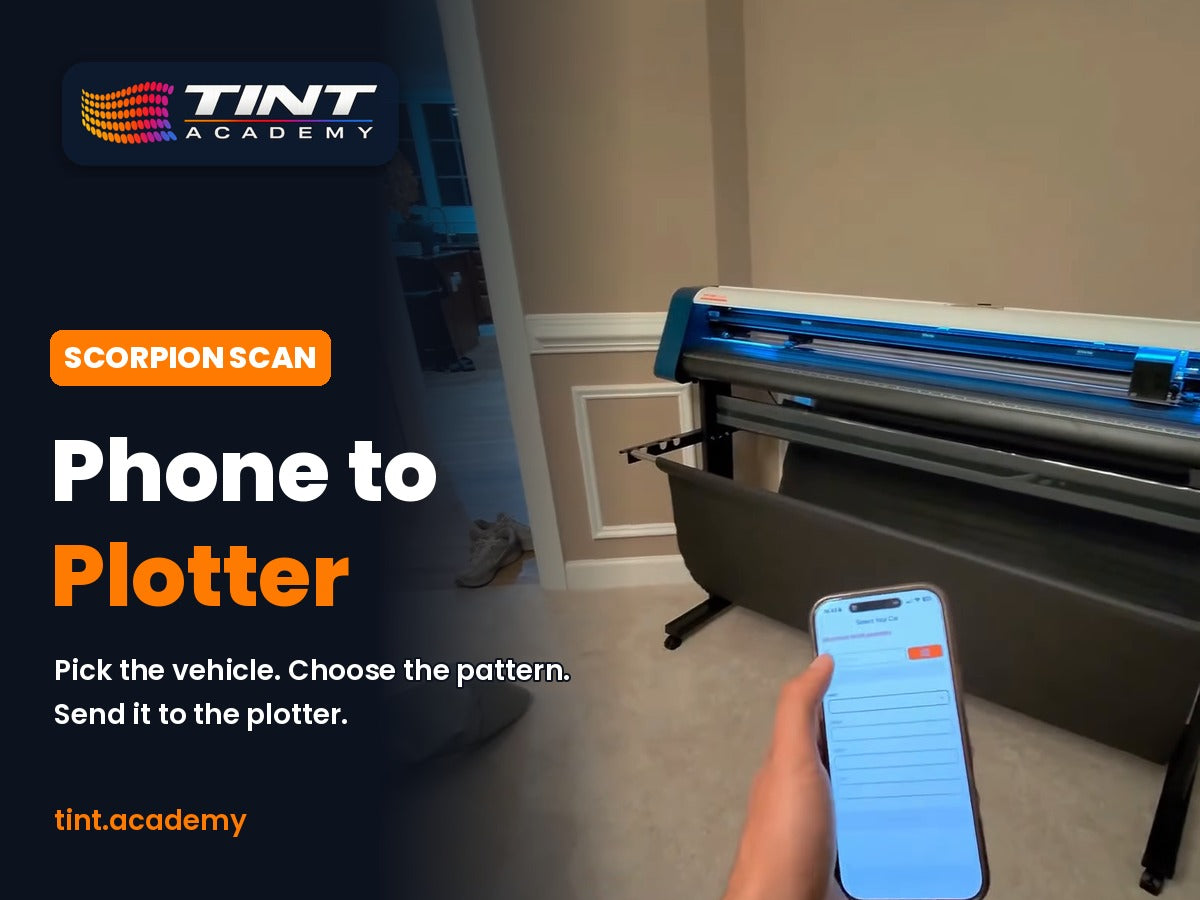
What if your phone was the only workstation you needed to cut window tint and PPF? That's the idea behind Scorpion SCAN: pick the vehicle, send the pattern to your plotter, and cut. You don't need a computer in the bay or separate pattern software. In this post we walk through a real SCAN job, the benefits for new and established shops, the hardware you need, and why Tint Academy recommends it to our students.
Watch: Scorpion SCAN, From Phone to Plotter
Watch the Scorpion SCAN Short on YouTube
Footage: customer spotlight on Goyo Tints and Wraps (Montgomery Village, MD), courtesy of Scorpion Coatings. Edited by Tint Academy.
What Is Scorpion SCAN?
Scorpion SCAN is Scorpion's window tint and PPF pattern software, built as a mobile app. According to Scorpion, you can choose the make, model and year from thousands of ready-to-use pre-cut patterns, then send the cutting data straight to your plotter over a wireless adapter. The app is free on iOS and Android.
New to the app? Start with our guide on how to download Scorpion SCAN.
How a Scorpion SCAN Job Works (Step by Step)
Here's the workflow from the Goyo Tints and Wraps video:
- Pick the vehicle. Choose the make, model and year in the SCAN app.
- Choose the pattern. Select the windows or panels you're cutting.
- Enter the details. Confirm the job settings before you cut.
- Send it to the plotter. The pattern goes wirelessly to the cutter, and the film is cut to fit.
For a deeper look at the cutting side, read how Scorpion SCAN helps you cut perfect window tint patterns.
Benefits of Running Your Tint Shop From Your Phone
No computer in the bay
Scorpion describes SCAN as letting you "run the whole job from your phone." Your workstation goes wherever the car is, without a desktop PC tied to the plotter.
A large pre-cut pattern library
Patterns cover the makes, models and years your customers drive, so you spend less time hand-trimming and more time installing.
Less wasted film
A pre-cut pattern uses the film you need for that window. Less waste matters on every job, especially with premium films and PPF.
Consistent, repeatable cuts
Every installer on your team works from the same pattern, so the results stay consistent from car to car.
Works with the plotter you already own
Scorpion says its wireless SCAN Plotter Adapter works with every Scorpion plotter (VEVOR 53" and Jaguar V-LX 40" by GCC) plus major third-party vinyl and tint cutters. It's plug and play: connect it, sync the app and start cutting.
Faster quoting
Once you know the vehicle and the pattern, pricing the job is easier. See our guide on pricing window tint with the Scorpion SCAN app.
What You Need to Run Scorpion SCAN
| Item | What it does | Where to get it |
|---|---|---|
| Scorpion SCAN app | Pattern library and job setup on your phone (free) | iOS App Store / Google Play |
| Plotter Adapter for SCAN Software | Wireless link between the app and your plotter | buyscorpion.com |
| Scorpion Mobile Cutting Bundle | VEVOR 53" plotter + wireless SCAN Plotter Adapter in one purchase | buyscorpion.com |
Check buyscorpion.com for current pricing and availability. Tint Academy students may also want to read about Scorpion dealer pricing for Tint Academy students.
Why Tint Academy Recommends Scorpion SCAN
Tint Academy runs 2-day, hands-on window tint and PPF certification courses across Canada, the USA and the Caribbean, and we've trained 6,500+ students over 10 years. We use Scorpion film in our courses, and we recommend SCAN because it fits how a new tinter actually builds a business:
- A low-cost way to start. The app is free. Add the adapter to a plotter you already own, or buy the bundle when you're ready.
- Same ecosystem as the film you train on. Students learn on Scorpion window film, so the workflow carries straight into their own shop.
- Mobile-friendly. Many of our graduates start out mobile, and a phone-based workflow suits that.
- Room to grow. Pattern cutting lets a growing shop take on more cars without adding hand-trim time.
Read our full take in why Tint Academy recommends Scorpion SCAN for every tint and PPF business, or watch the Scorpion SCAN and plotter setup webinar replay.
Learn Window Tint and PPF the Right Way
Pattern software makes cutting easier, but a clean install still comes down to technique: prep, heat shrinking, squeegee work and edges. That's what our hands-on classes teach. See the window tint and PPF certification guide, then find a class near you at tint.academy.
Call or text: 321-364-9518 (USA) | 289-201-2070 (Canada)
Scorpion SCAN FAQ
Is Scorpion SCAN free?
Yes. Scorpion lists the SCAN app as free on iOS and Android. To cut wirelessly from your phone, you'll need the Plotter Adapter for SCAN Software, sold at buyscorpion.com.
Does Scorpion SCAN work with my plotter?
Scorpion says the adapter works with every Scorpion plotter (VEVOR 53" and Jaguar V-LX 40" by GCC) plus major third-party vinyl and tint cutters.
Do I need a computer to use Scorpion SCAN?
No. SCAN is designed so you can pick the vehicle and send the pattern to the plotter from your phone.
Is Scorpion SCAN for window tint or PPF?
It's Scorpion's pattern software for window tint and PPF businesses.
Where can I learn to use pattern software and a plotter?
Tint Academy's 2-day hands-on courses cover window tint and PPF installation. See dates at tint.academy or call or text 321-364-9518 (USA) or 289-201-2070 (Canada).

Share and get 15% off!
Simply share this product on one of the following social networks and you will unlock 15% off!